
Storefront connection
Shopify.
Your storefront, with operations behind it.
Connect Shopify orders, stock and dispatch while keeping your existing storefront.
Responsibilities
Agree where each record belongs.
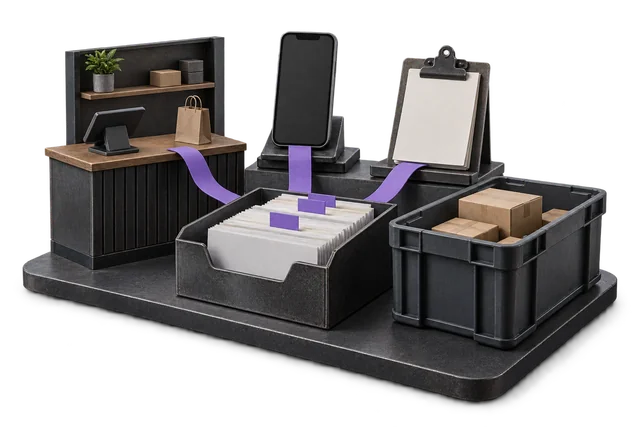
Confirm which platform owns product records, stock availability, cancellations and refunds. Storefront apps are not automatically replaced.
What flows where
Scope the records in each direction.
These are proposed flows for scoping, not a promise that every object or event is already supported.

| Record | From → to | Trigger | Scope note |
|---|---|---|---|
| Orders the moment they are placed (webhook-driven) | Shopify → OpsUI | Agreed during scoping | Proposed flow. Account-level support must be confirmed. |
| Products and variants with full metafield support | Shopify → OpsUI | Agreed during scoping | Proposed flow. Account-level support must be confirmed. |
| Inventory adjustments from Shopify-side edits | Shopify → OpsUI | Agreed during scoping | Proposed flow. Account-level support must be confirmed. |
| Customer records, addresses, and tags | Shopify → OpsUI | Agreed during scoping | Proposed flow. Account-level support must be confirmed. |
| Refunds and partial refunds | Shopify → OpsUI | Agreed during scoping | Proposed flow. Account-level support must be confirmed. |
| Real-time stock levels from every OpsUI location | OpsUI → Shopify | Agreed during scoping | Proposed flow. Account-level support must be confirmed. |
| Fulfilment events with tracking numbers | OpsUI → Shopify | Agreed during scoping | Proposed flow. Account-level support must be confirmed. |
| Product creation and variant updates | OpsUI → Shopify | Agreed during scoping | Proposed flow. Account-level support must be confirmed. |
| Inventory adjustments from cycle counts and returns | OpsUI → Shopify | Agreed during scoping | Proposed flow. Account-level support must be confirmed. |
| Channel-aware stock allocation across multiple stores | OpsUI → Shopify | Agreed during scoping | Proposed flow. Account-level support must be confirmed. |
Set up the connection around your operation.
Confirm access
Confirm the store version, permissions and any extensions or customisations.
Agree the mapping
Agree inventory locations, allocation rules and the order and refund lifecycle.
Test the handoff
Test partial fulfilment, returns, duplicates and interrupted delivery before cutover.
Questions about Shopify.
Why would I add an ERP to my Shopify store?
When operations outgrow what Shopify can do natively. The triggers are usually: multi-location stock that Shopify cannot keep accurate across stores, a returns volume that needs disposition and traceability, a warehouse picking workflow that needs real WMS support, or a wholesale channel that needs B2B price lists and credit terms. Shopify is the storefront; OpsUI is the operations layer behind it.
Will I have to leave Shopify?
No, and you should not. Shopify is excellent at storefront, themes, checkout, and payments. OpsUI runs the operations behind it: orders, inventory, warehouse, dispatch, returns. The bidirectional sync keeps the two in lockstep. Your storefront and your customer experience do not change.
How does the OpsUI ↔ Shopify sync work?
Event-driven against the Shopify Admin API and webhooks. Orders flow into OpsUI as they are placed. Inventory adjustments flow back to Shopify the moment they happen — no polling, no nightly batch. Wired against your Shopify store during onboarding rather than installed from the Shopify App Store.
Does this replace my Shopify apps (inventory, fulfilment, ShipStation, etc.)?
Mostly yes, and that is usually the point. Operators come to OpsUI when their Shopify app stack has grown to five or six tools: inventory in one, picking in another, shipping in a third, returns in a fourth. Reconciliation is eating the team. OpsUI consolidates inventory, picking, shipping, and returns into one modular product. Some specialist apps (review platforms, loyalty programs) stay; the operations stack collapses into OpsUI.
Can OpsUI handle multiple Shopify stores?
Yes. The connector binds per store and OpsUI treats each Shopify store as its own sales channel. Multi-store operators (a NZ store on opsui.co.nz, an AU store on opsui.au, a wholesale Plus store) all sync into one OpsUI tenant, with channel-aware stock allocation so you do not oversell.
Is this on the Shopify App Store?
No. We deliberately do not ship as a self-serve app. The integration is wired against your specific Shopify store during onboarding so the data model, custom metafields, and tax setup match your existing operation. That delivery model also means there is no per-install Shopify revenue share baked into the pricing.
Your next step
Bring your system. Map the connection.
Share the account or version you use, the records that matter and the exceptions your team needs to handle.